Seedance 2.0: Generate AI Video from Text, Images, Video Clips, and Audio
Seedance 2.0 is ByteDance Jimeng AI's multi-modal AI video generation model. Instead of describing every detail in text, you feed it reference images, video clips, and audio files alongside your prompt. The model reads all inputs together and generates video with accurate camera movement, consistent characters, and synchronized lip motion.
| 12 Assets | Mix images, videos, and audio in a single generation |
| 15s Max | Selectable output duration from 4 to 15 seconds |
| Camera Copy | Replicate dolly, truck, pan, and Hitchcock zooms from reference videos |
| Lip-Sync | Audio-driven dialogue, beat-matching, and sound-referenced generation |
Why Seedance 2.0?
Most AI video generation tools only accept text prompts. Seedance 2.0 is different: it takes images, video clips, and audio files as direct references alongside your text prompt. That means you can do text to video, image to video, and audio-driven video generation in one workflow, with multi-modal context the model actually understands.
- Image References (≤9): Feed up to 9 images to define character appearance, scene composition, and storyboard frames. This is the backbone of Seedance 2.0's image to video pipeline.
- Video References (≤3): Supply video clips so the model copies camera movement, action choreography, and VFX transitions. Total clip duration ≤15s.
- Audio References (≤3): Attach MP3 audio to drive lip-sync, pacing, and atmosphere. Total audio duration ≤15s.
- Text Prompts: Describe narrative direction, scene transitions, and emotional tone in natural language. Text to video still works on its own, but combining it with other references is where Seedance 2.0 pulls ahead.
Parameter Overview
| Parameter | Limit | Notes |
|---|---|---|
| Image Input | Max 9 files | Perfect for storyboards and character consistency |
| Video Input | Max 3 files | Total duration ≤15 seconds |
| Audio Input | Max 3 files (MP3) | Total duration ≤15 seconds |
| Output Duration | 4s – 15s | Selectable generation length |
| Total Mixed Assets | Max 12 combined | Prioritize assets that define core style and rhythm |
Showcase: Real-World AI Video Generation Scenarios
The following cases show what Seedance 2.0 produces in practice. Each case includes both English and Chinese prompts. The Chinese prompts come from the original source material and demonstrate the model's native bilingual prompt accuracy.
1. Character Consistency Across Scenes
The Problem: Earlier AI video models often changed faces, blurred details, or lost character identity between shots.
The Solution: Seedance 2.0 locks character identity, clothing, and fine details across emotional shifts and environmental changes. Upload reference images and the model keeps the same person recognizable throughout the generated video.
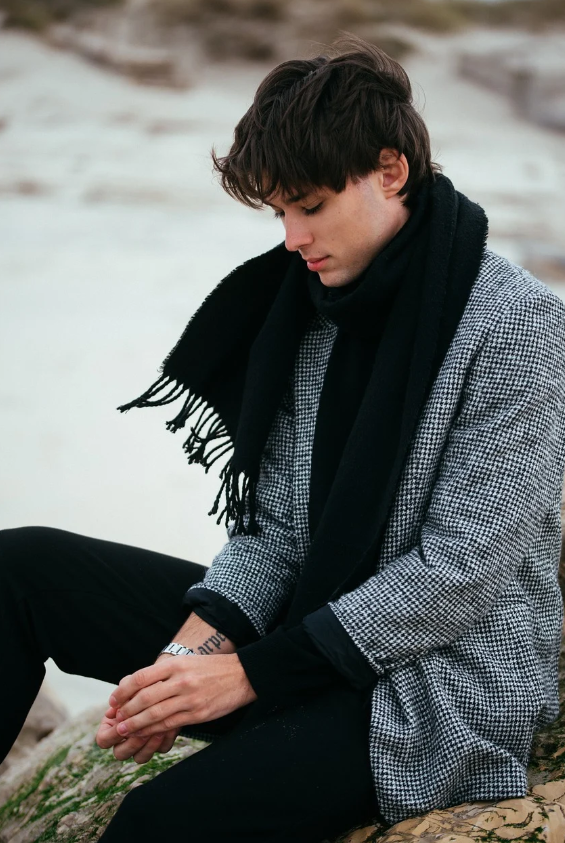
Case A: Emotional Transition — From Fatigue to Warmth
A man returns home exhausted, adjusts his emotions at the door, and is greeted by his daughter and pet dog. Tests identity preservation through emotional shifts and indoor/outdoor transitions.
A man (@Image1) walks wearily down the hallway after work, his footsteps slowing until he stops at his front door. Facial close-up: he takes a deep breath, adjusts his emotions, sheds his negativity and relaxes. Close-up of his hands as he fishes out a key, inserts it into the lock. After entering, his young daughter and a pet dog come running joyfully to greet and hug him. The interior is warm and cozy. Natural dialogue throughout.
男人@图片1下班后疲惫的走在走廊,脚步变缓,最后停在家门口,脸部特写镜头,男人深呼吸,调整情绪,收起了负面情绪,变得轻松,然后特写翻找出钥匙,插入门锁,进入家里后,他的小女儿和一只宠物狗,欢快的跑过来迎接拥抱,室内非常的温馨,全程自然对话
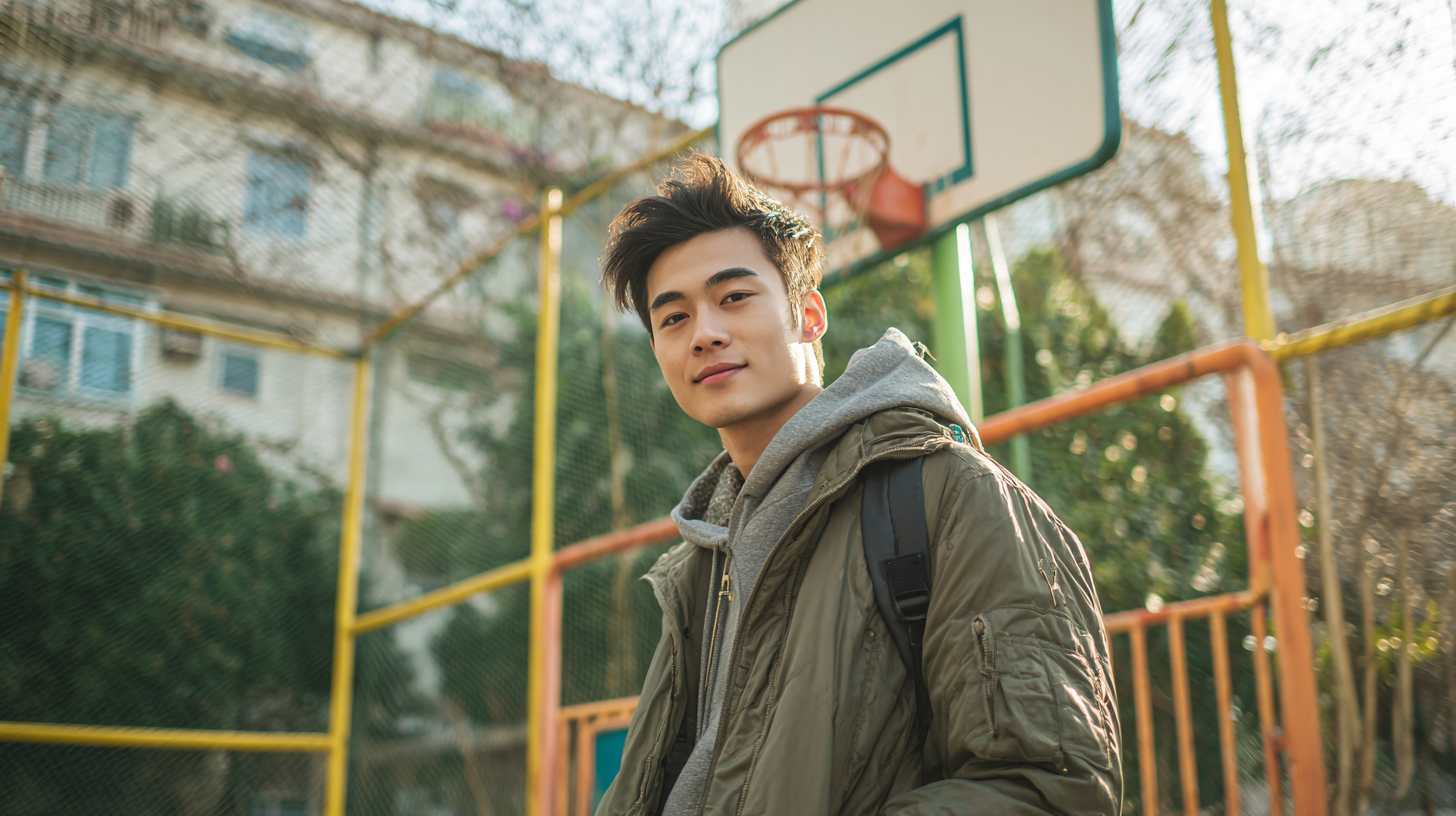
Case B: Costume Drama Teaser — Time-Travel Preview
A basketball player is transported to ancient China. Tests identity preservation across modern/historical settings with dramatic camera shake and title card transitions.
Generate a costume drama time-travel trailer using the character from the reference image. 0–3s: The male lead (@Image1) holds up a basketball, looks up at the camera… 4–8s: The camera shakes violently… cuts to a rainy night at an ancient mansion… 14–15s: Black screen, the title card "醉梦惊华" (Dream of Splendor) appears.
使用参考图片人物的形象生成一段古装穿越剧的预告短片。 0-3秒画面:参考图片1人物形象的男主手里举起一个篮球,抬头望向镜头... 4-8秒画面:镜头突然剧烈晃动...切换成古宅的雨夜... 14-15秒画面:黑屏,打出片名《醉梦惊华》。
2. Camera Control and Motion Replication
The Feature: Upload a reference video and Seedance 2.0 copies the exact camera movement: dolly, truck, pan, Hitchcock zoom, or full choreography. No need to describe complex camera control in text.
Case A: Hitchcock Zoom & Eye Tracking
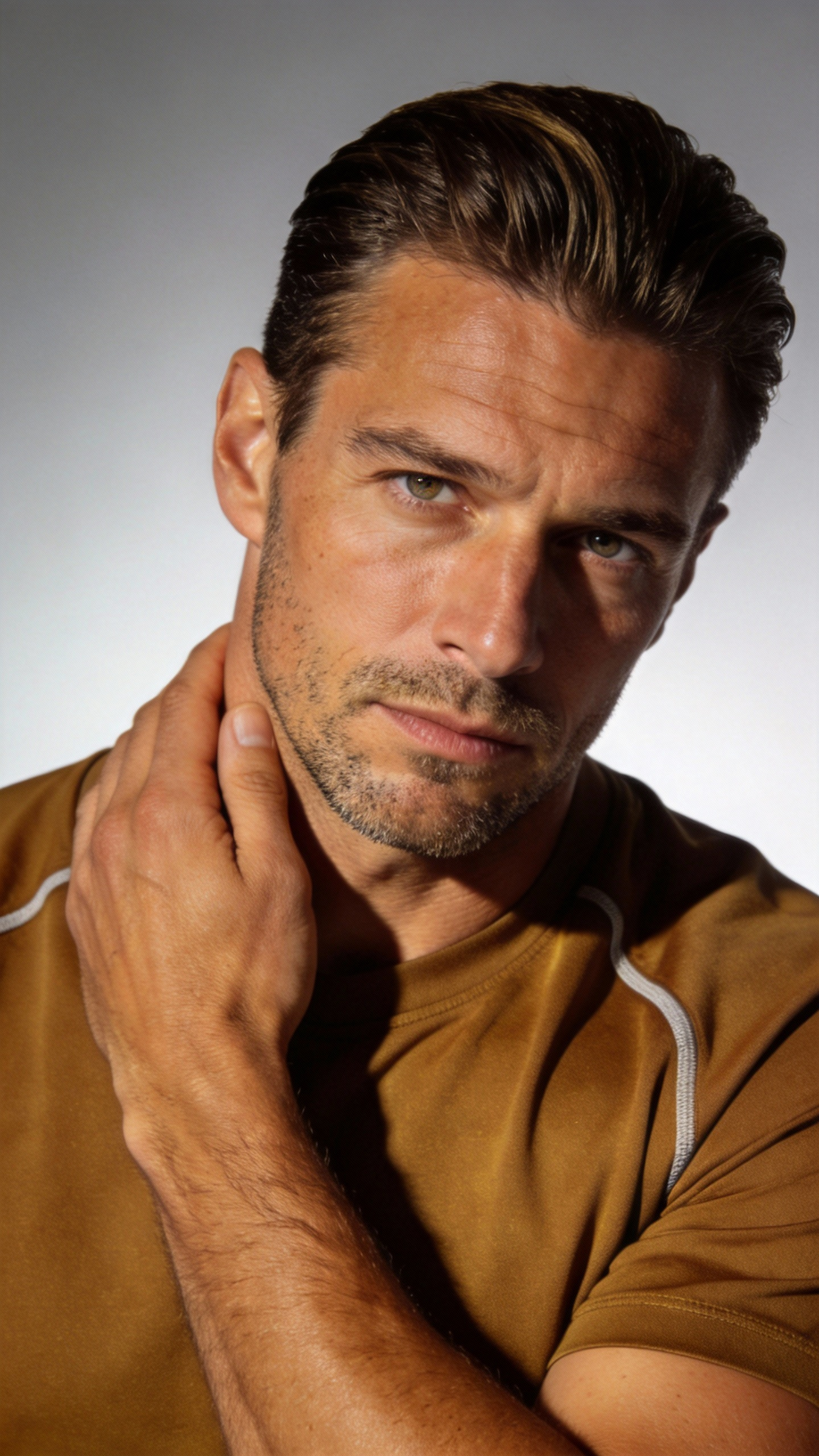
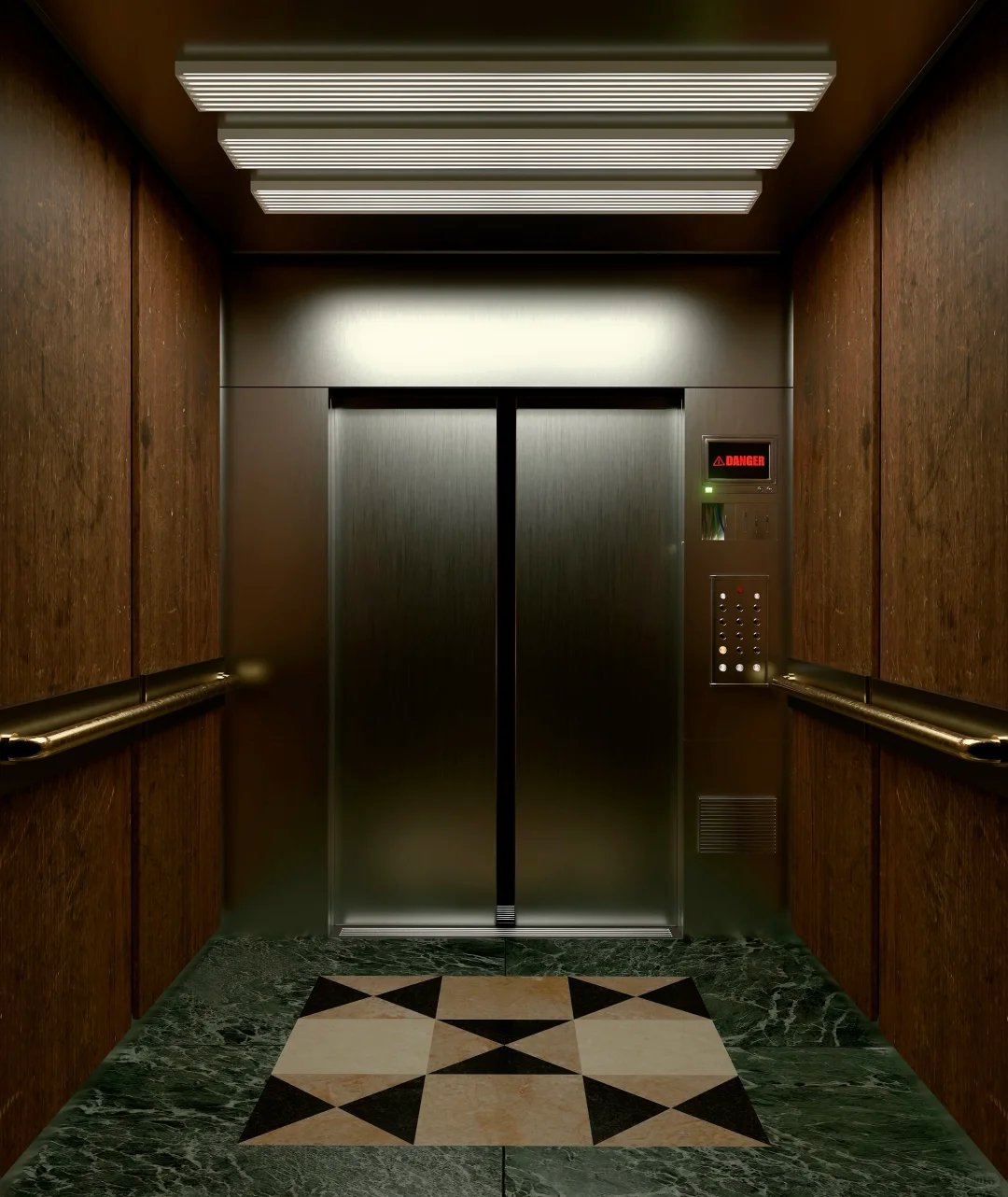
Replicates a Hitchcock dolly zoom and robotic-arm eye tracking from a reference video, applied to a new character in an elevator setting.
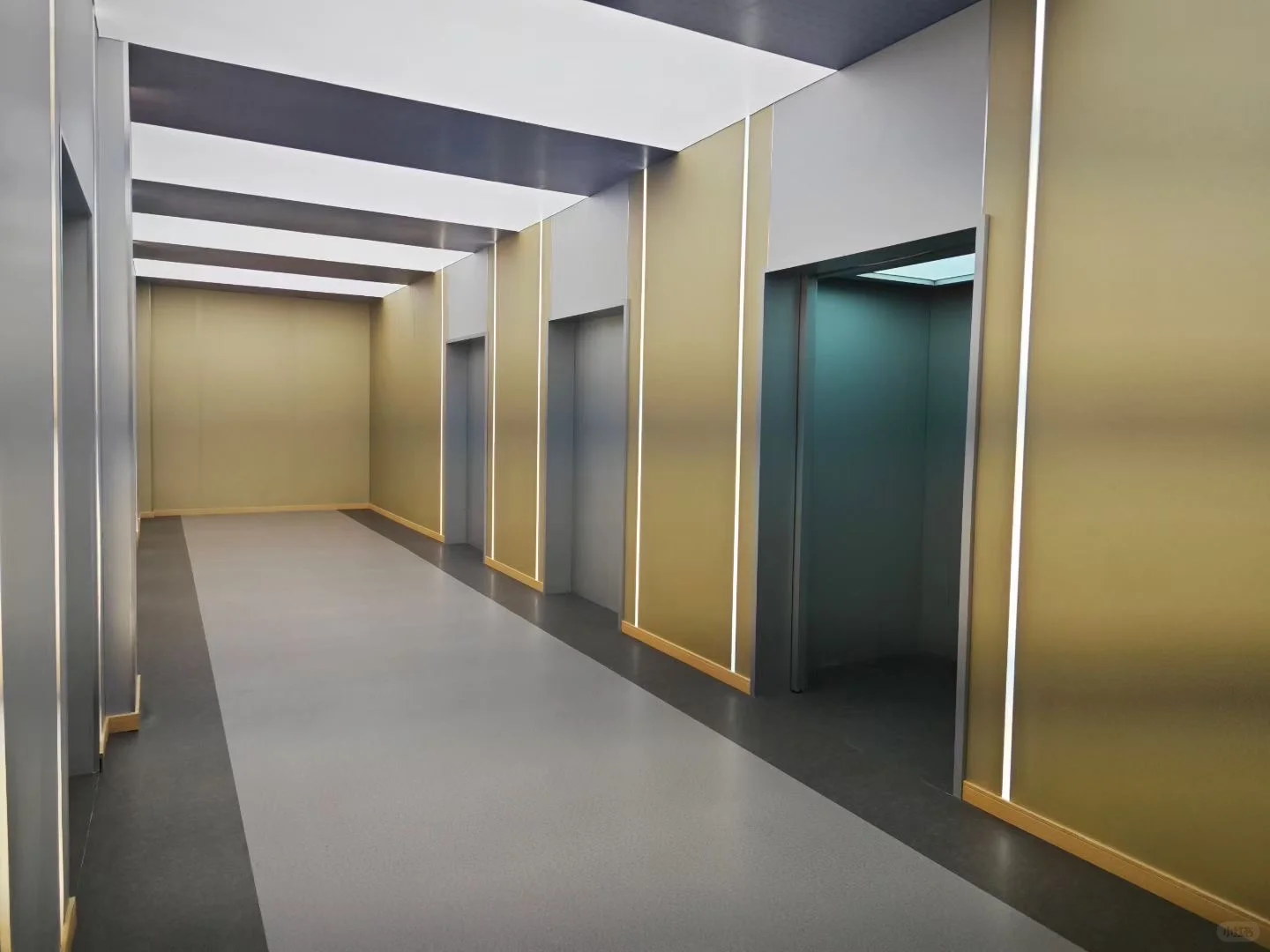
Refer to the male character appearance in @Image1. He is inside the elevator in @Image2, fully referencing all camera movement effects and the protagonist's facial expressions from @Video1. When the protagonist is terrified, use a Hitchcock zoom. Then use several orbiting shots to show the interior elevator perspective. The elevator doors open, and the camera follows as he walks out of the elevator. The scene outside the elevator references @Image3. The man looks around, and following @Video1, use a robotic arm to track the character's line of sight from multiple angles.
参考@图1的男人形象,他在@图2的电梯中,完全参考@视频1的所有运镜效果还有主角的面部表情,主角在惊恐时希区柯克变焦... 参考@视频1用机械臂多角度跟随人物的视线
Case B: Martial Arts Action Sequence
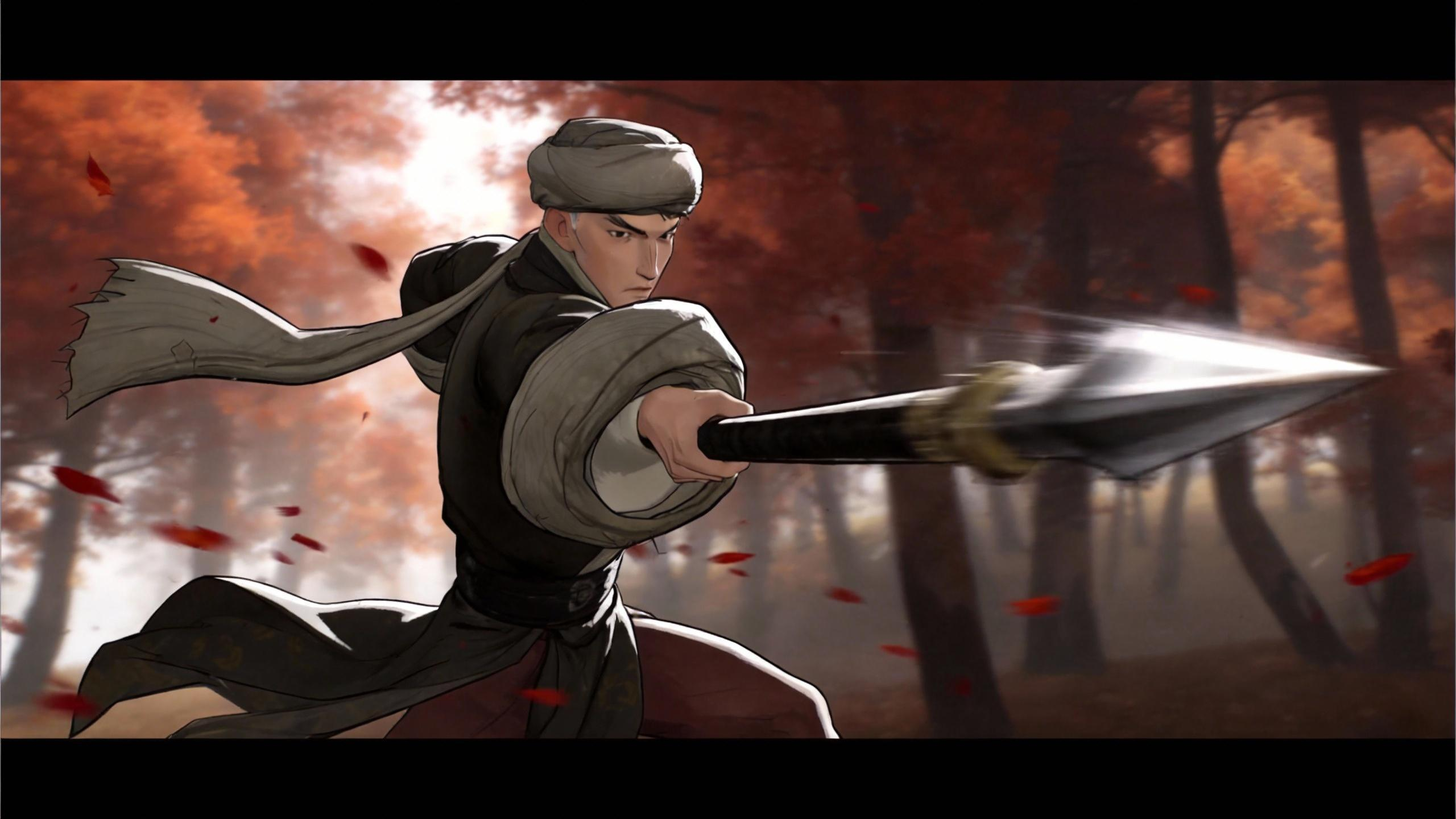
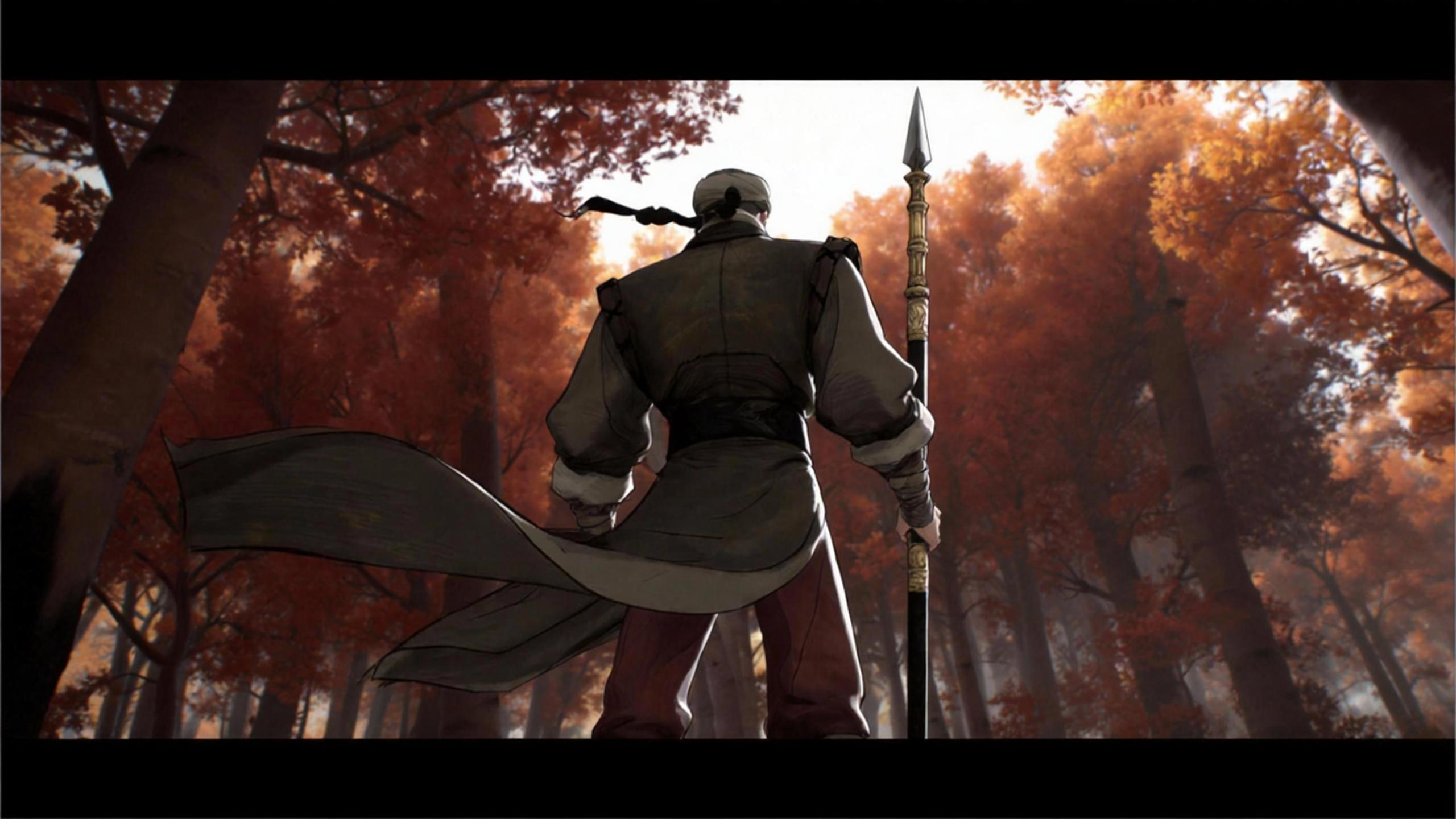
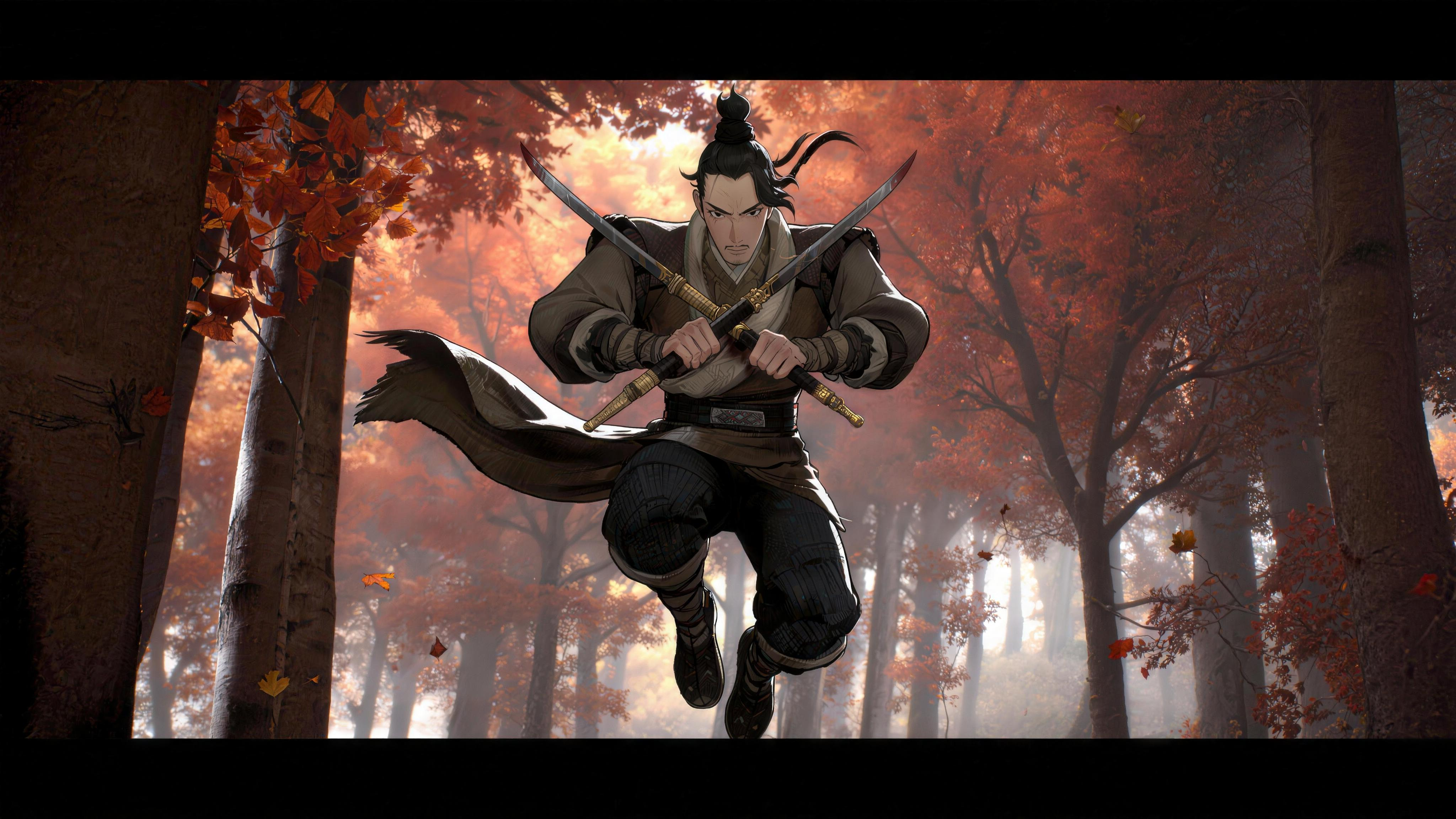
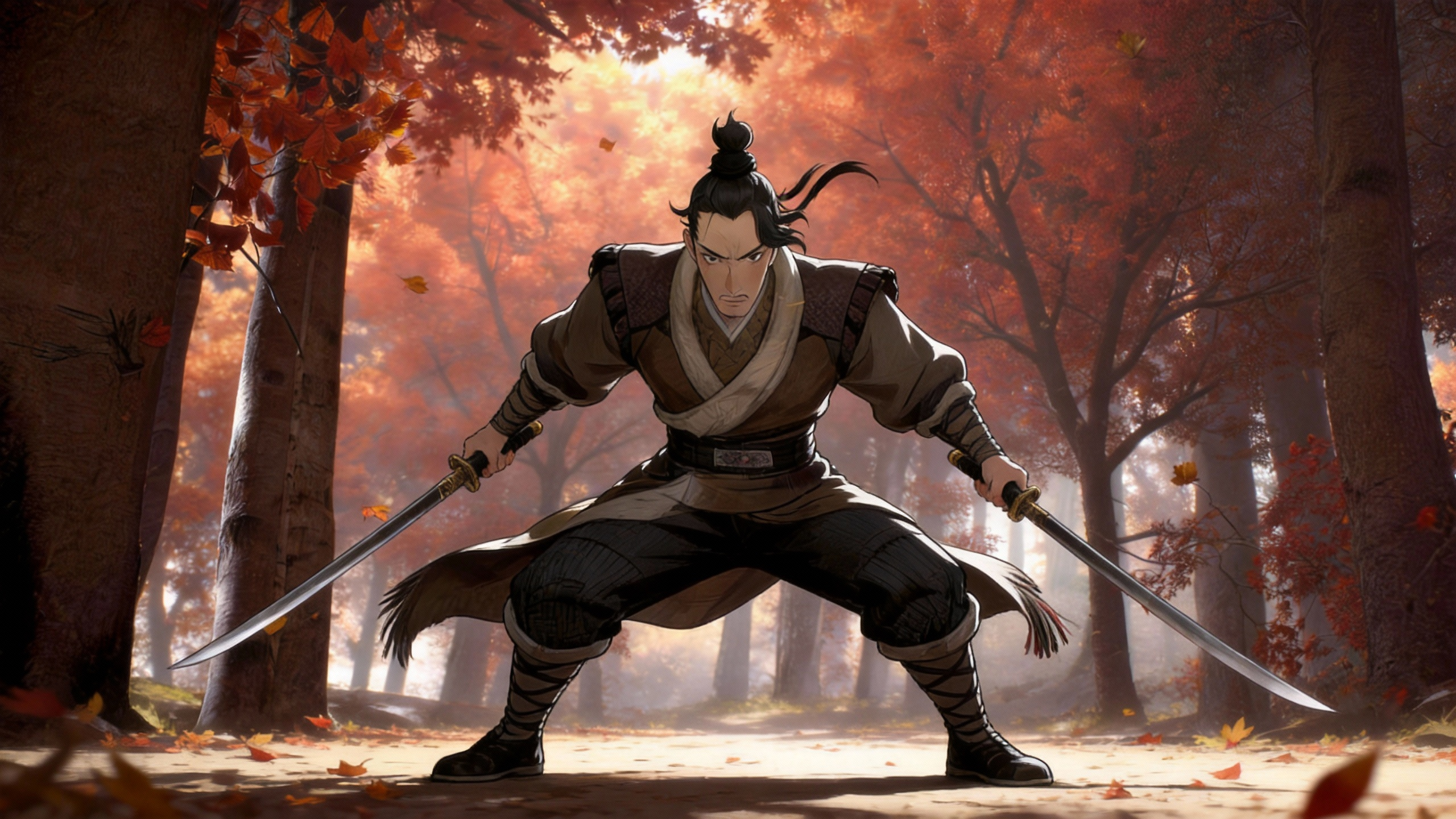
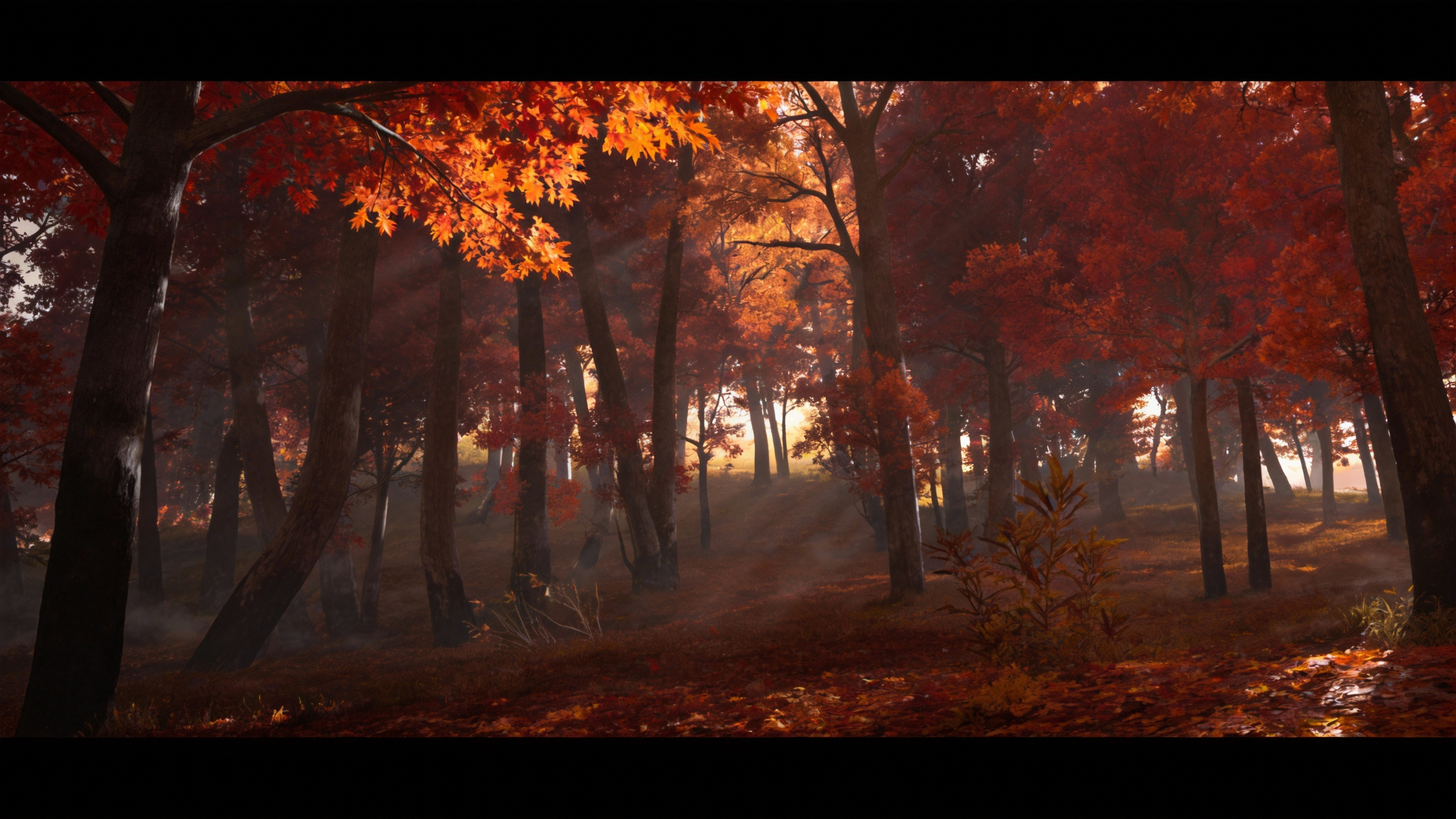
Two characters (spear warrior and dual-blade fighter) replicate choreographed combat from a reference video in a maple leaf forest.
Reference the long-spear character from @Image1 and @Image2, and the dual-blade character from @Image3 and @Image4. Replicate the action choreography from @Video1, fighting in the maple leaf forest from @Image5.
参考@图1@图2长枪角色,@图3@图4双刀角色,模仿@视频1的动作,在@图5的枫叶林中打斗
3. VFX Template Replication
The Feature: Feed a VFX template video as a reference and Seedance 2.0 replicates its transitions, particle effects, and ad creative style. Swap in your own characters and products while keeping the original VFX template intact.
Case A: Rose Petal VFX Transformation
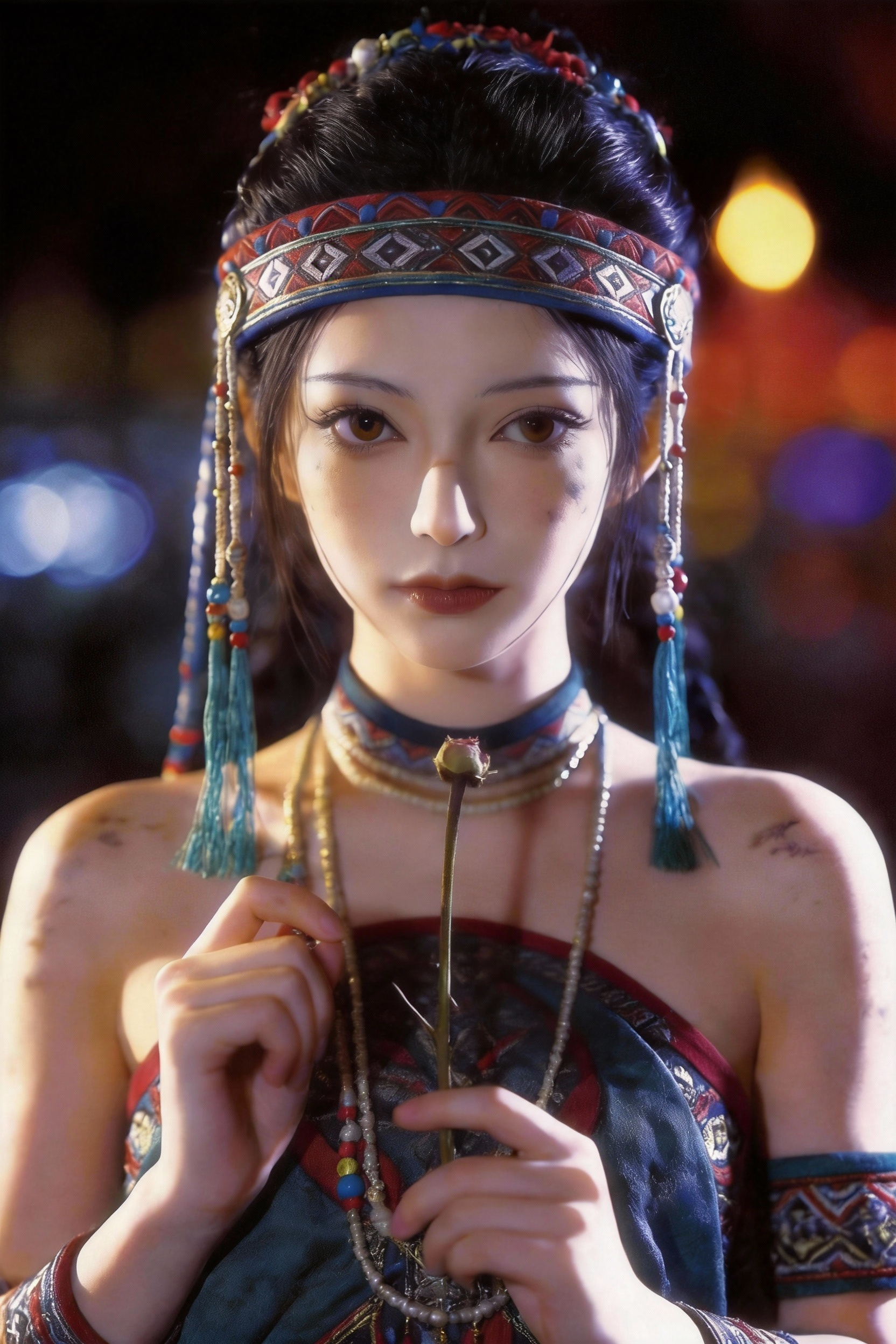
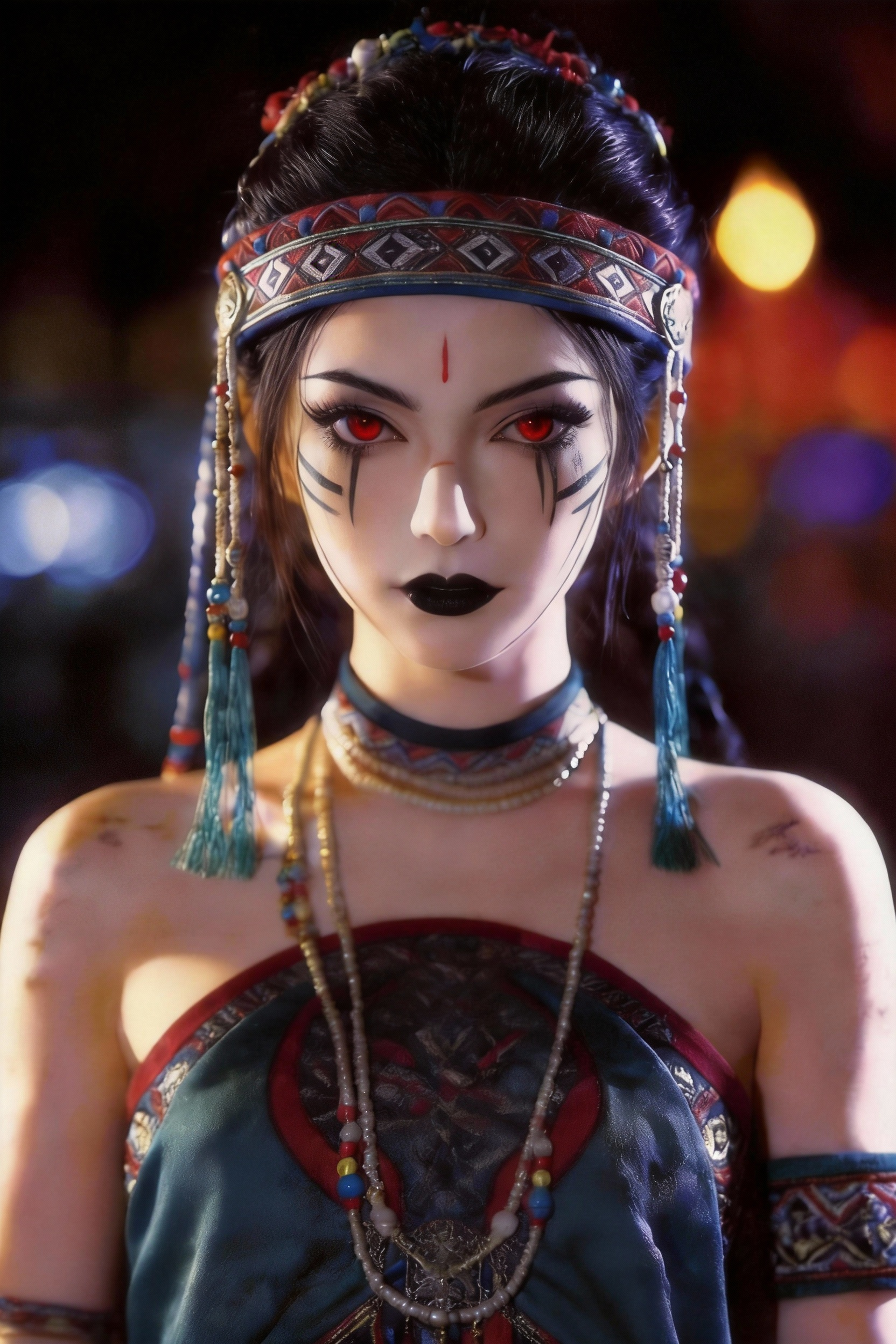
Replaces the character in a template video and replicates its VFX sequence — a flower bud blooms into rose petals, cracks crawl up the face and turn into creeping vines, then the character sweeps their hands across to dissolve it all into particles, finally revealing a new appearance.
Replace the first-frame character of @Video1 with @Image1. Fully reference @Video1's effects and actions. The flower bud in the character's hand grows rose petals. Cracks extend upward across the face, gradually becoming overgrown with weeds. The character sweeps both hands across their face, the weeds dissolve into particles, and finally the appearance transforms into that of @Image2.
将@视频1的首帧人物替换成@图片1,完全@参考视频1的特效和动作,手里的花蕊长出玫瑰花瓣,裂纹在脸部向上延伸,逐渐被杂草覆盖,人物双手拂过脸部,杂草变成粒子消散,最后变成@图片2的长相
Case B: Product Commercial — Down Jacket Ad
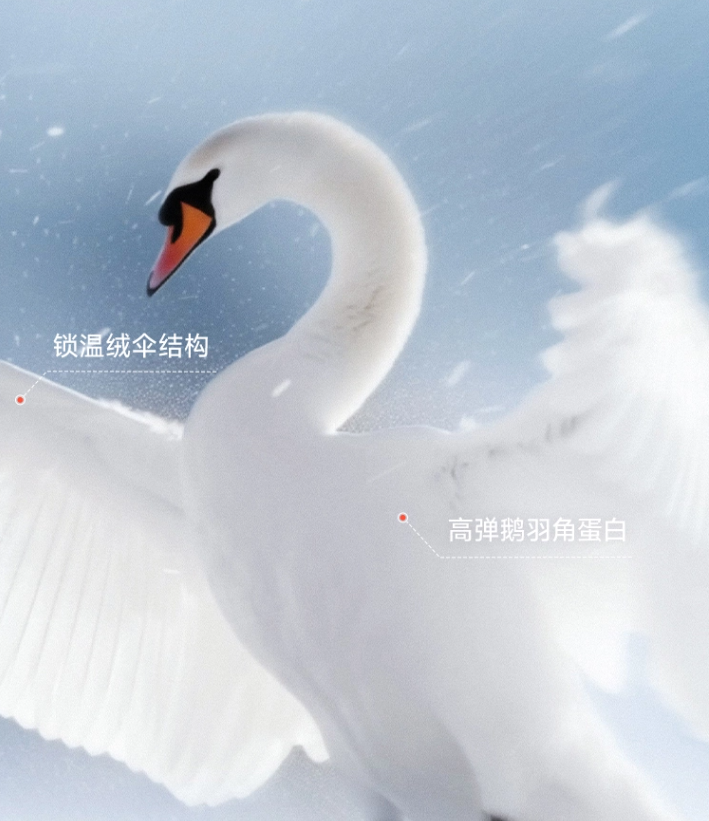
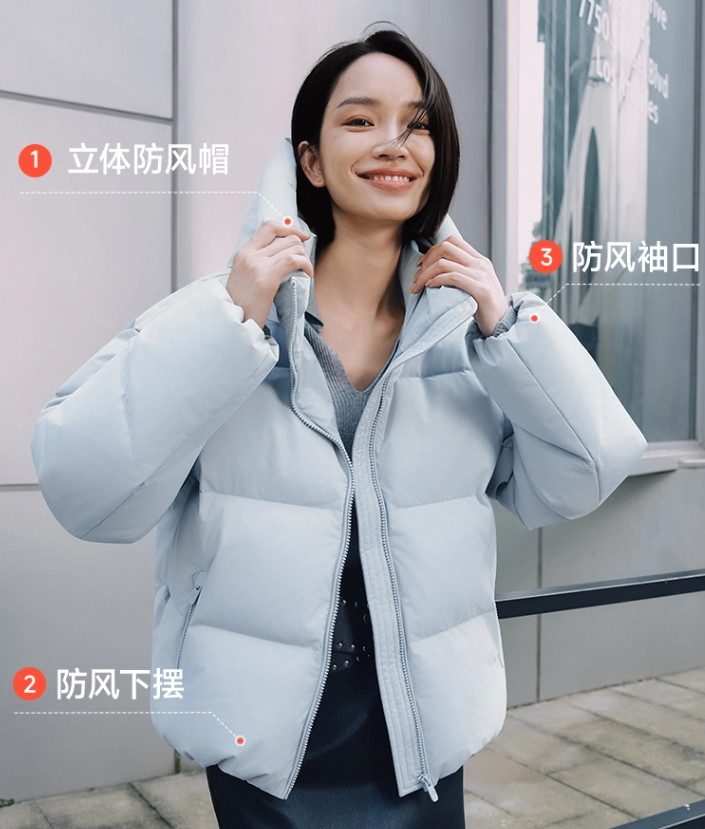
Takes an existing ad creative template and regenerates it with a new product (down jacket), incorporating goose down and swan imagery.
Reference the advertising creative from the video. Use the provided down jacket images, along with the goose down images and swan images… Generate a new down jacket advertisement video.
参考视频的广告创意,用提供的羽绒服图片,并参考鹅绒图片、天鹅图片... 生成新的羽绒服广告视频。

4. Video Extension and In-Painting Editing
The Feature: Extend an existing video clip by up to 15 seconds of new AI-generated content, or edit specific regions with in-painting. The model continues from the last frame without regenerating the entire video.
Case A: The "Donkey" Ad — Video Extension
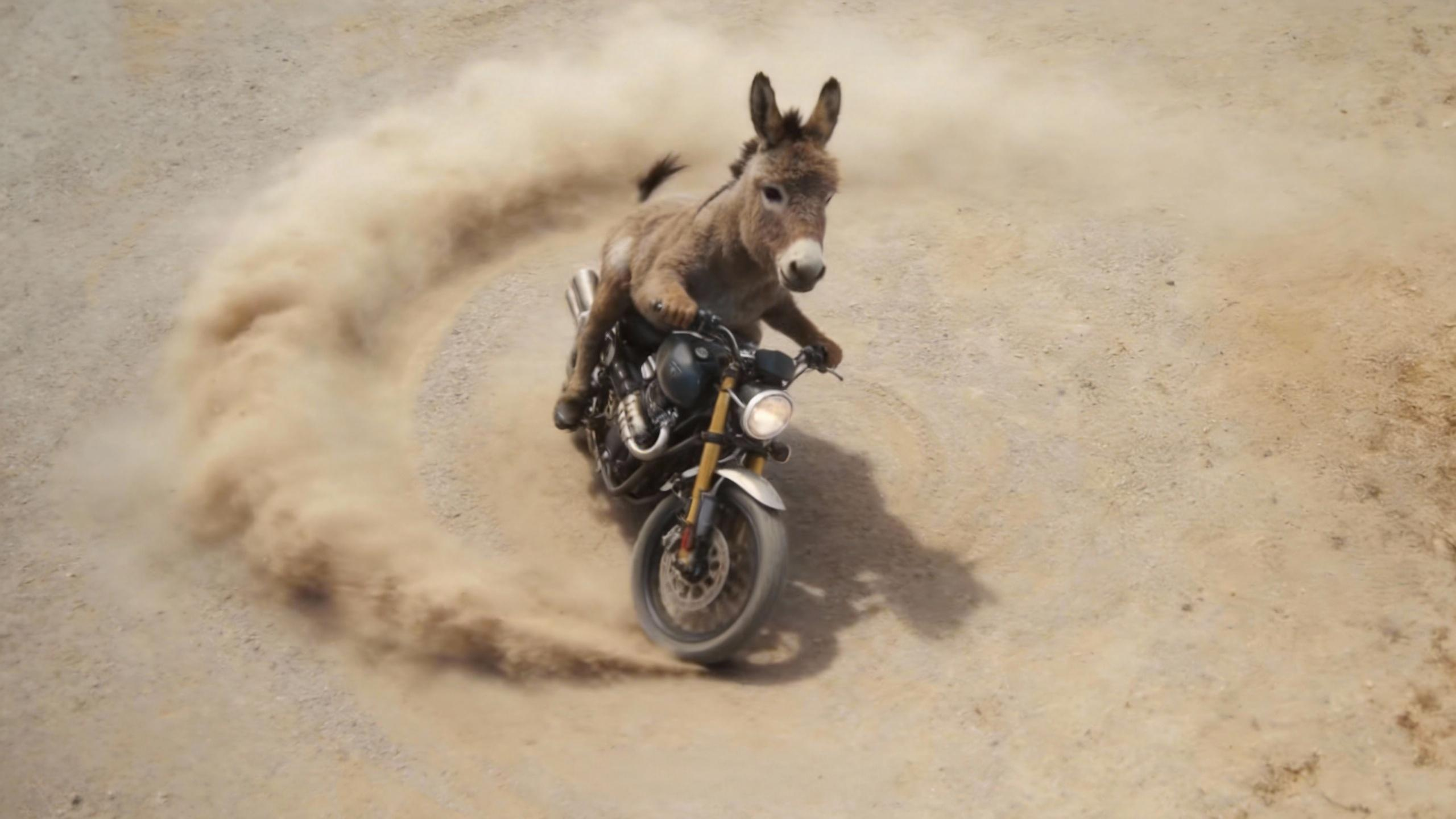
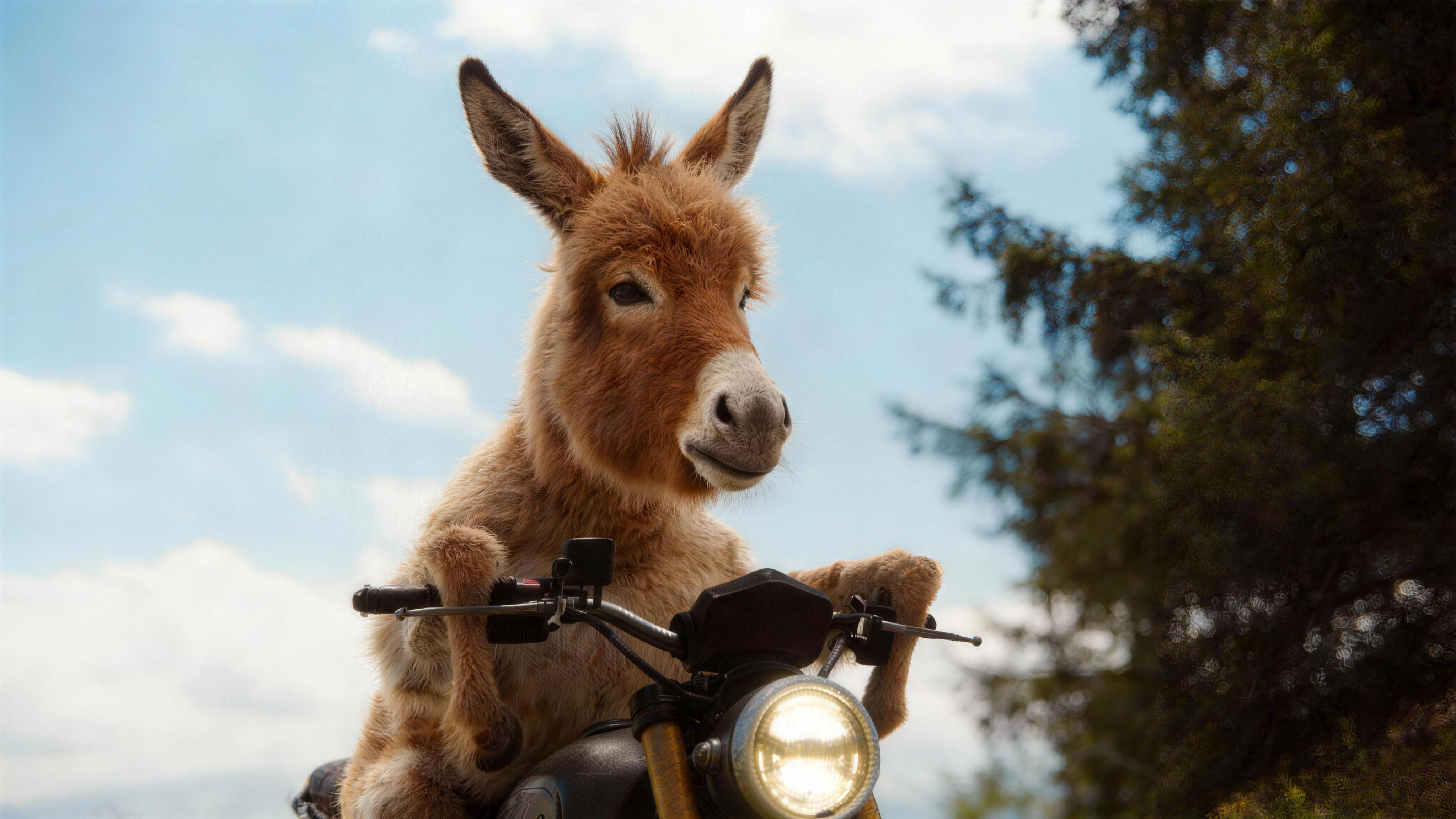
Extends a video by 15 seconds, adding imaginative ad scenes of a donkey riding a motorcycle through desert and snowy mountain landscapes.
Extend the video by 15 seconds. Reference the donkey-riding-a-motorcycle character from @Image1 and @Image2. Add an imaginative ad sequence… Scene 2: The donkey rides the motorcycle spinning across sandy terrain… Scene 3: Snow-capped mountains in the background…
延长15s视频,参考@图片1、@图片2的驴骑摩托车的形象,补充一段脑洞广告... 画面2:驴骑着摩托在沙地盘旋... 画面3:背景是雪山镜头...
Case B: Plot Twist — Narrative Subversion
Edits an existing video to subvert its original plot — the man's gentle expression turns cold as he pushes the woman off a bridge, demonstrating in-painting narrative control.
Subvert the plot of @Video1: the man's gaze shifts instantly from tender to ice-cold and ruthless. In a moment when Rose is completely off guard, he violently pushes the woman off the bridge… As the woman plunges into the water, there is no scream — only a look of utter disbelief…
颠覆@视频1里的剧情,男人眼神从温柔瞬间转为冰冷狠厉,在露丝毫无防备的瞬间,猛地将女主从桥上往外推... 女主坠入水中的瞬间,没有尖叫,只有难以置信的眼神...
5. Audio-Driven AI Video Generation and Lip-Sync
The Feature: Upload audio files or use reference video sound to drive lip-sync dialogue, emotional performances, and music beat-matching. Seedance 2.0 reads the audio waveform and aligns character mouth movement and scene rhythm to it.
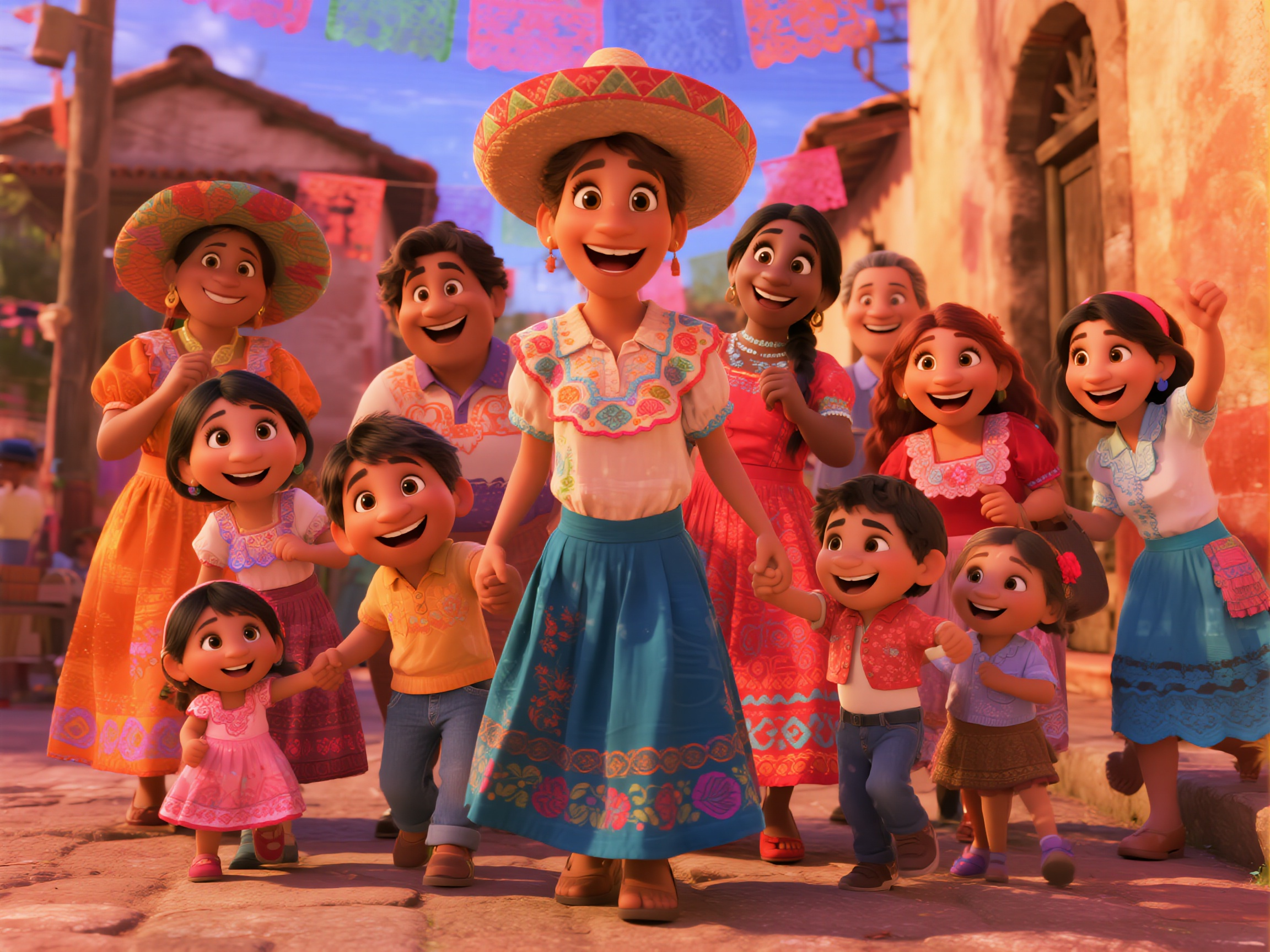
Case A: Family Celebration — Multi-Character Lip-Sync & Dance
Multiple characters speak in turn with distinct emotions — singing, hugging, and calling for a dance — then Latin music kicks in as the whole family forms a circle and dances joyfully on a colorful street.
The girl wearing a hat in the center softly sings "I'm so proud of my family!", then turns to hug the Black girl in the middle. The Black girl responds emotionally, "My sweetie, you're the heart of our family," and hugs her back. The boy in yellow on the left cheerfully says, "Folks, let's dance together to celebrate!" The girl on the far right follows with "I'll bring the music!" Latin music begins in the background. The woman in the orange dress on the left (Julieta) nods with a smile, and the woman with braids on the right (Luisa) clenches her fists and pumps her arms. Someone in the crowd starts stepping to the beat, children clap along to the rhythm, and the whole family is about to form a circle — dancing joyfully to upbeat music, skirts swirling, on a colorful street, spreading happiness and warmth.
画面中间戴帽子的女孩温柔地唱着说"I'm so proud of my family!",之后转身拥抱中间的黑人女孩。黑人女孩感动地回应"My sweetie, you're the heart of our family",回抱她。左侧的黄衣服男孩开心地说"Folks, let's dance together to celebrate!" 最右侧的女孩紧接着回复:"I'll bring the music!",背景拉美音乐响起,左侧穿橙色裙的女性(朱丽叶塔)笑着点头,右侧扎辫女性(路易莎)握紧拳头挥动手臂。人群中有人开始踏起步子,孩子们跟着节奏拍手,整个家族即将围成圈,伴着欢快的音乐,裙摆飞扬,在五彩的街道上尽情舞动,传递着喜悦与温暖。
Case B: Fashion Outfit Swap with Beat Rhythm
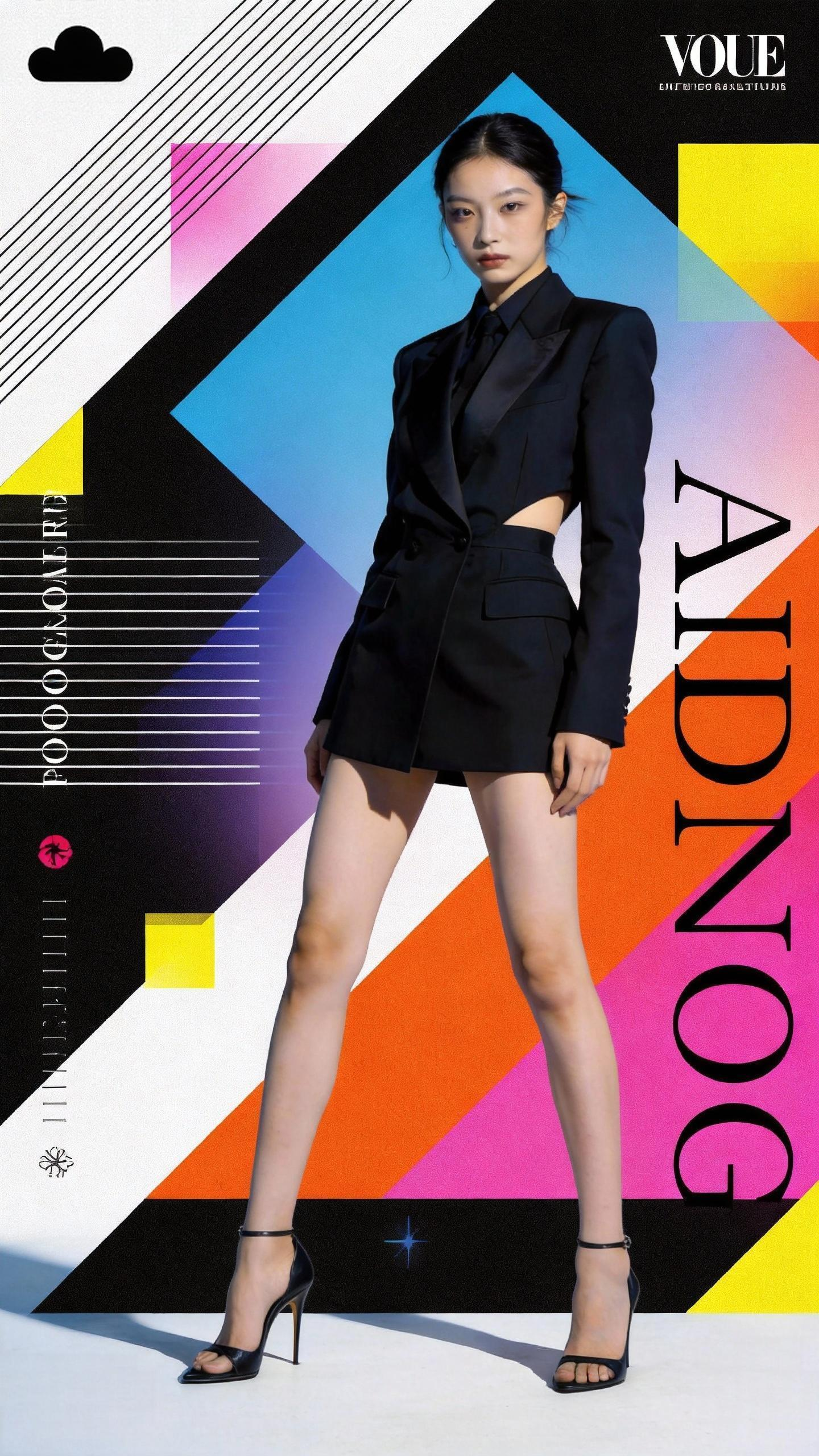
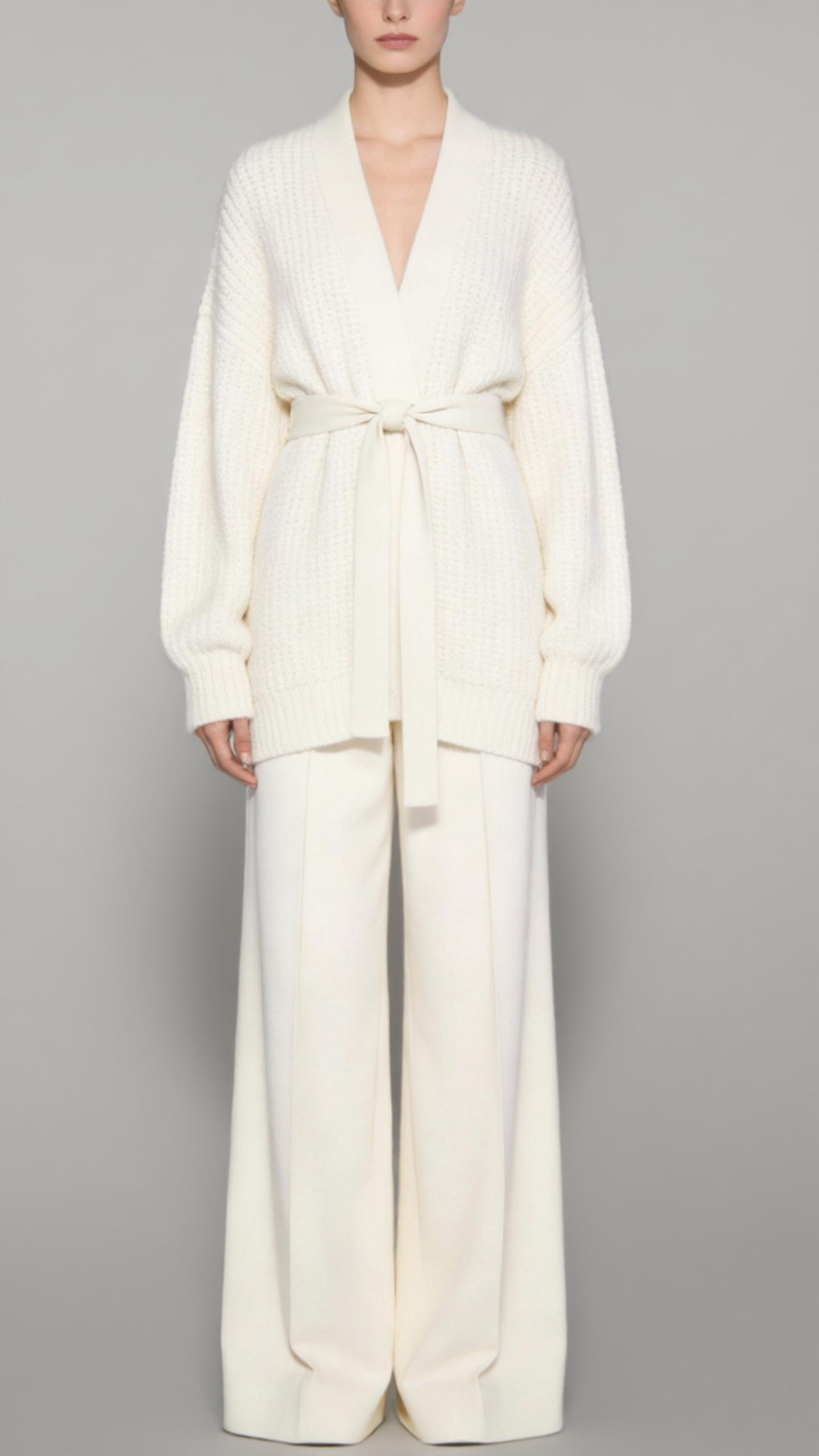
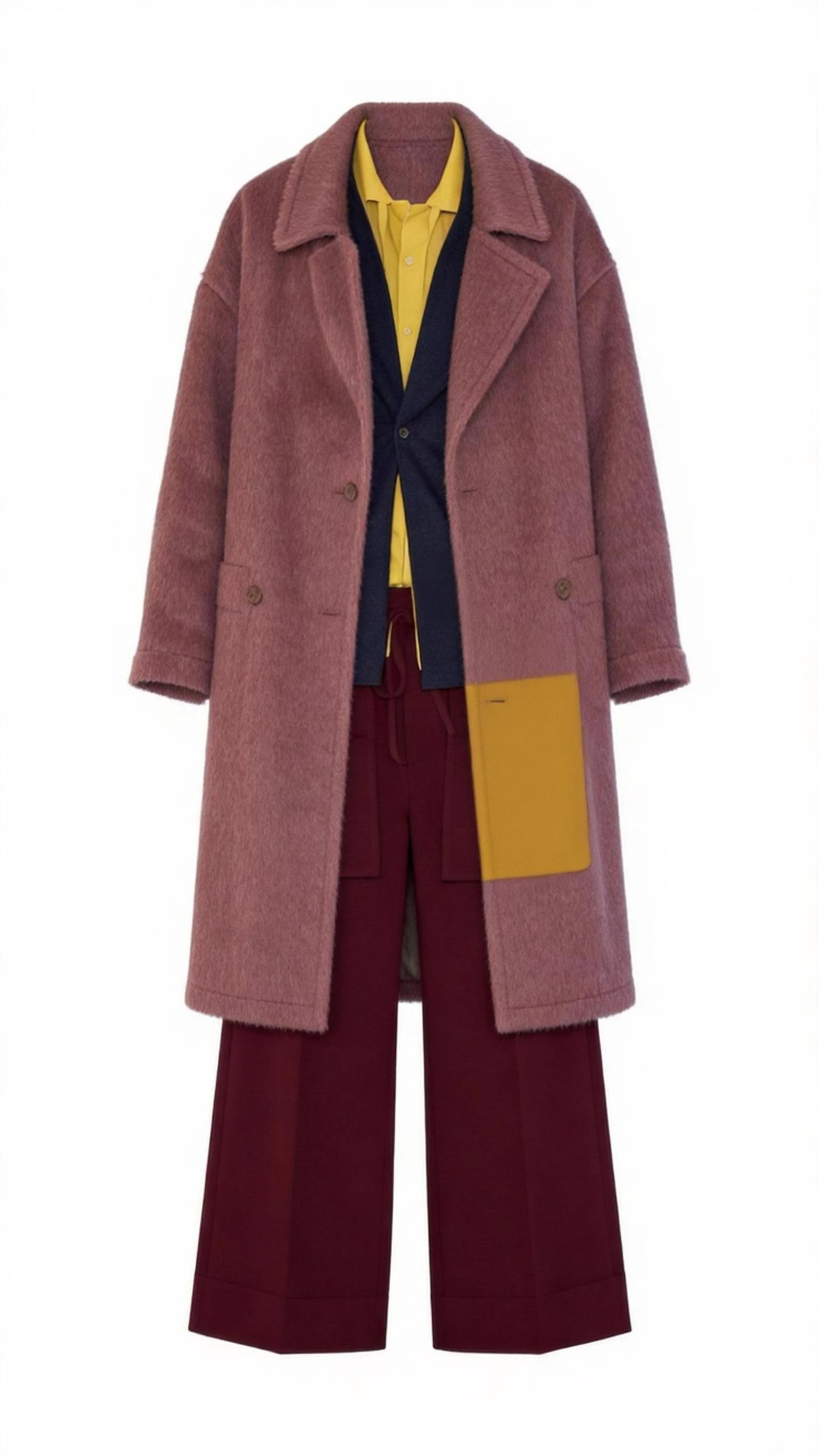
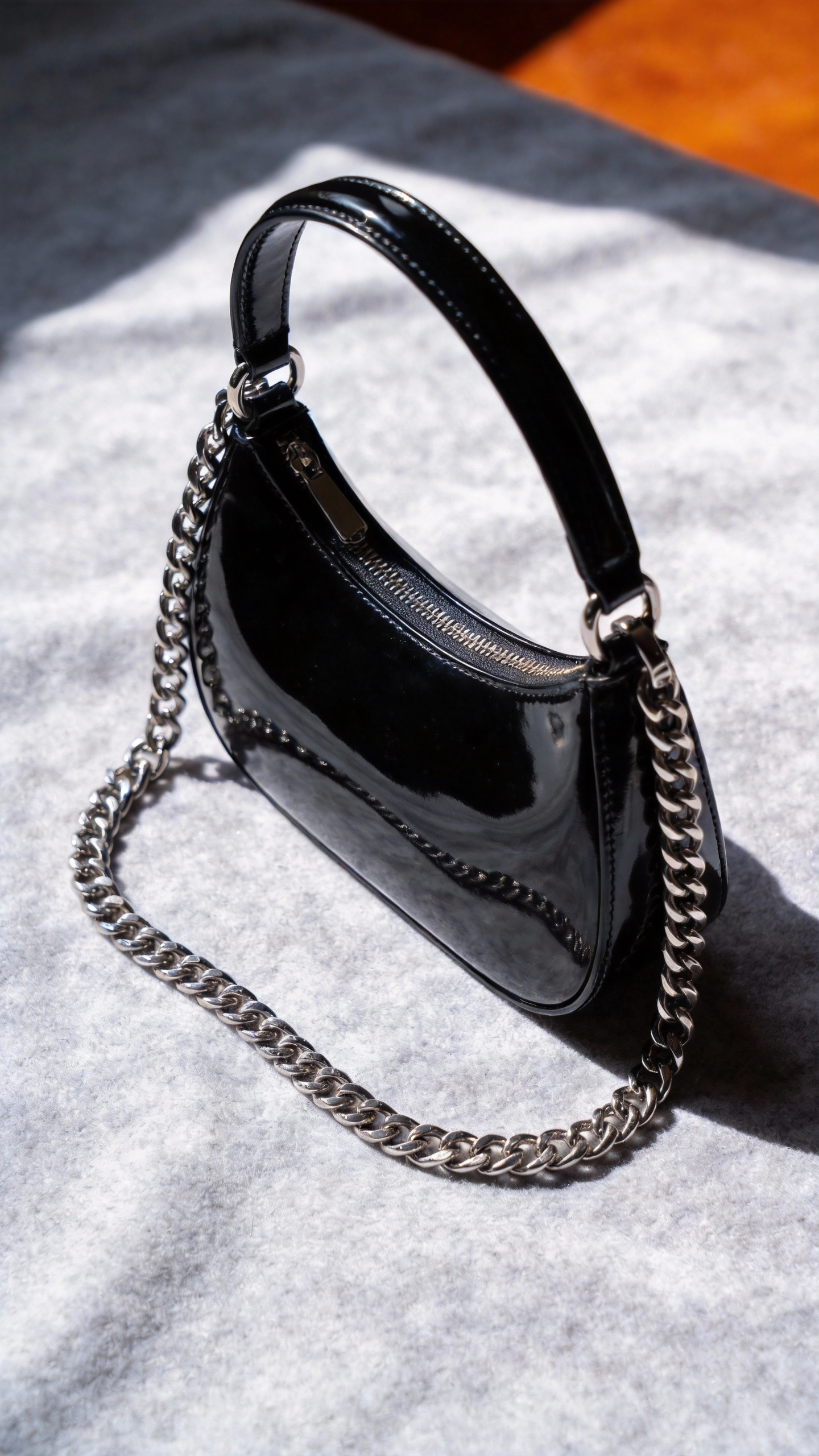
A girl from a poster continuously changes outfits referenced from images, holds a bag from another reference, all synced to a reference video's rhythm.
The girl in the poster keeps changing outfits — clothing style references @Image1 and @Image2, holding the bag from @Image3. Video rhythm references @Video.
海报中的女生在不停的换装,服装参考@图片1@图片2的样式,手中提着@图片3的包,视频节奏参考@视频
6. One-Take Continuity Shot
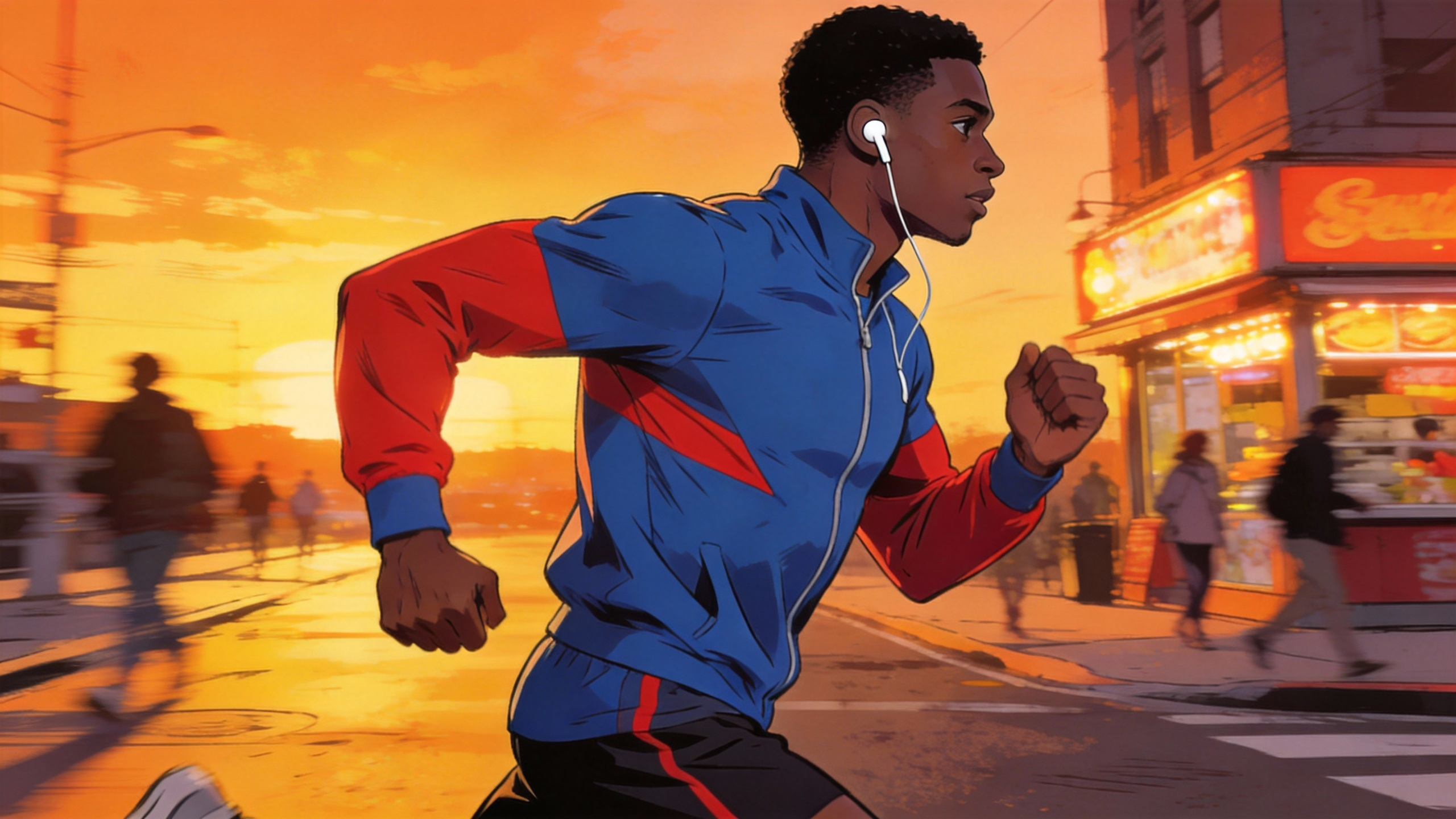
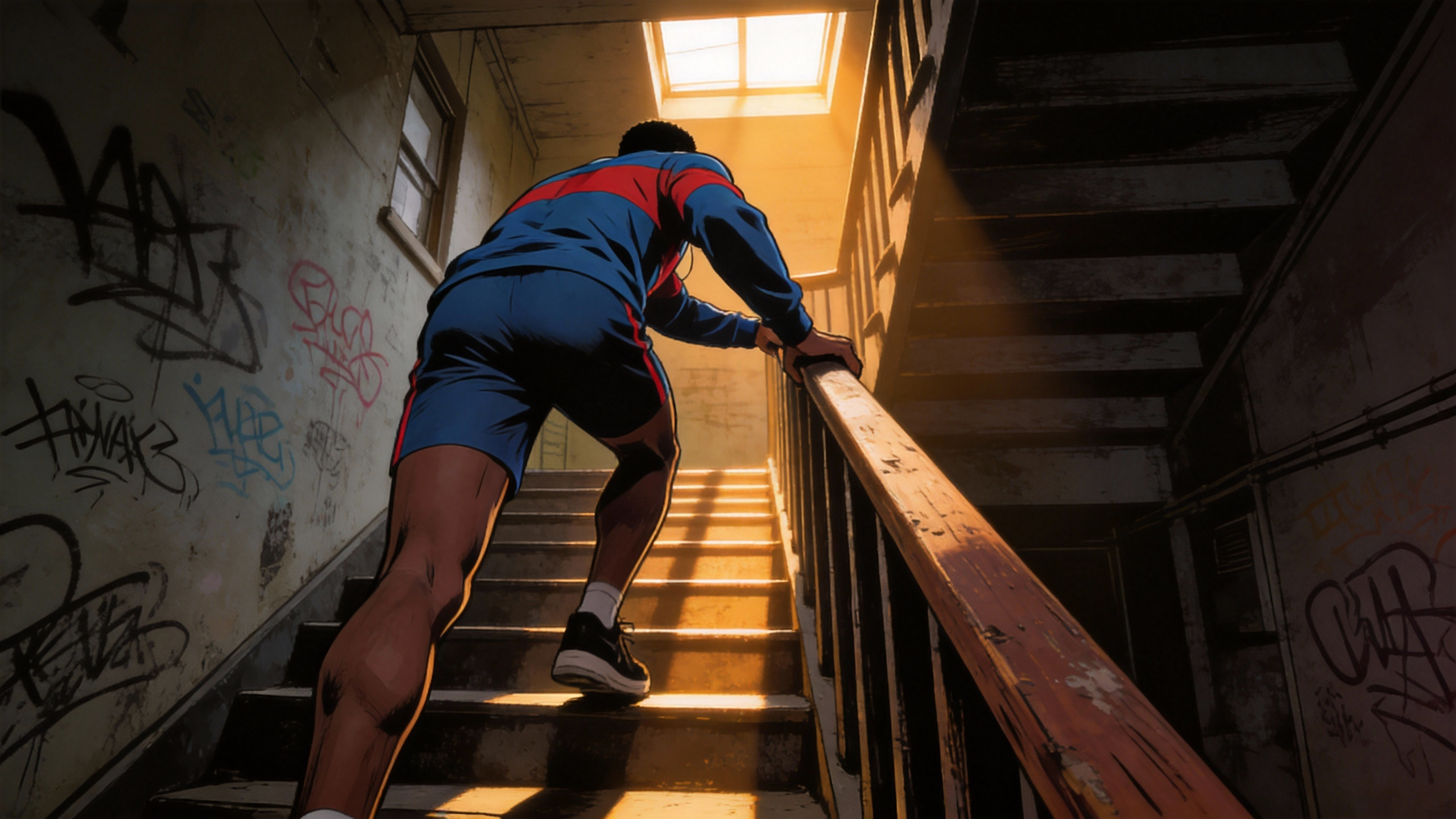
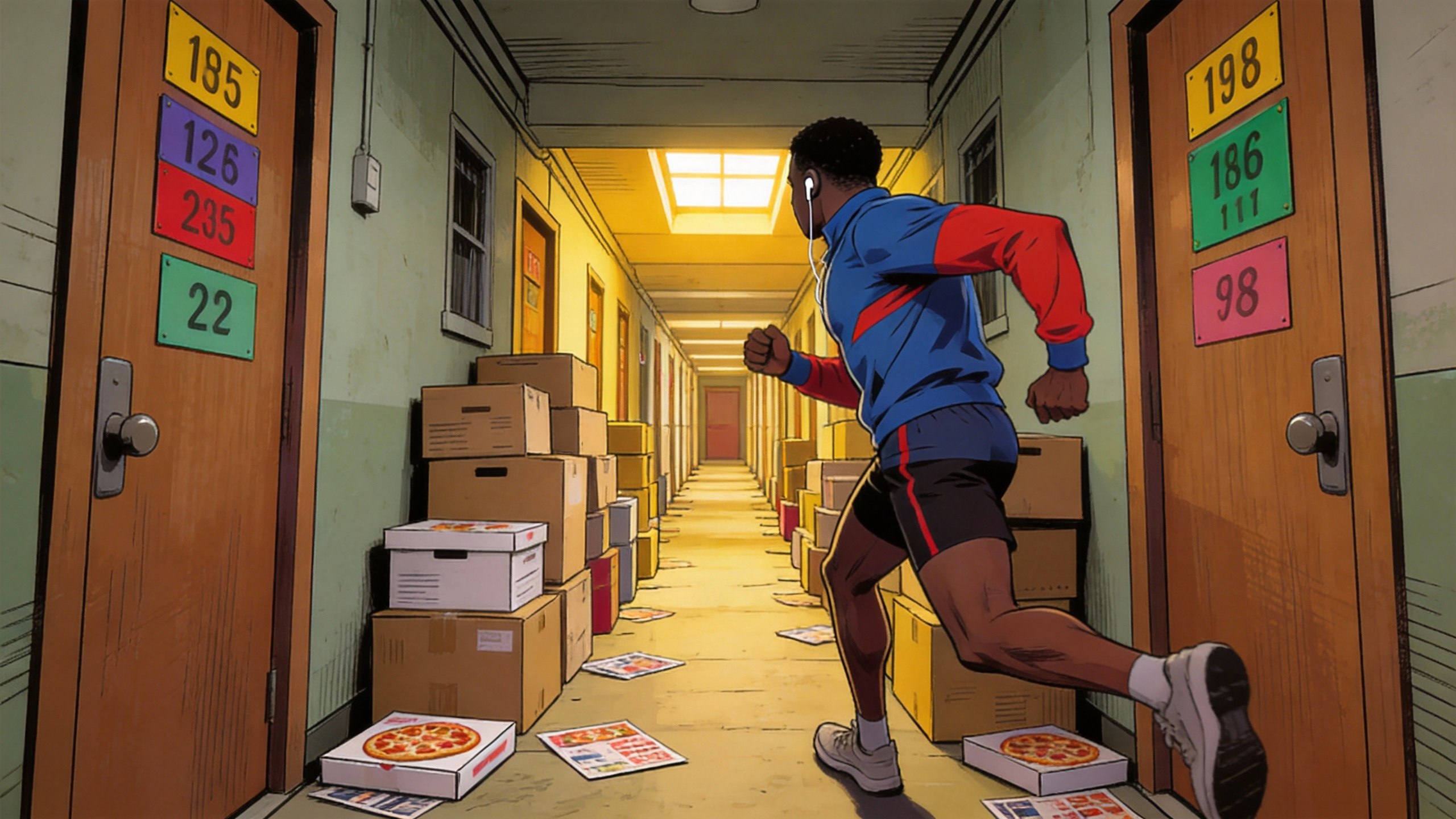
The Feature: Generate a single continuous tracking shot with stable environments and consistent characters across the full duration, with no cuts.
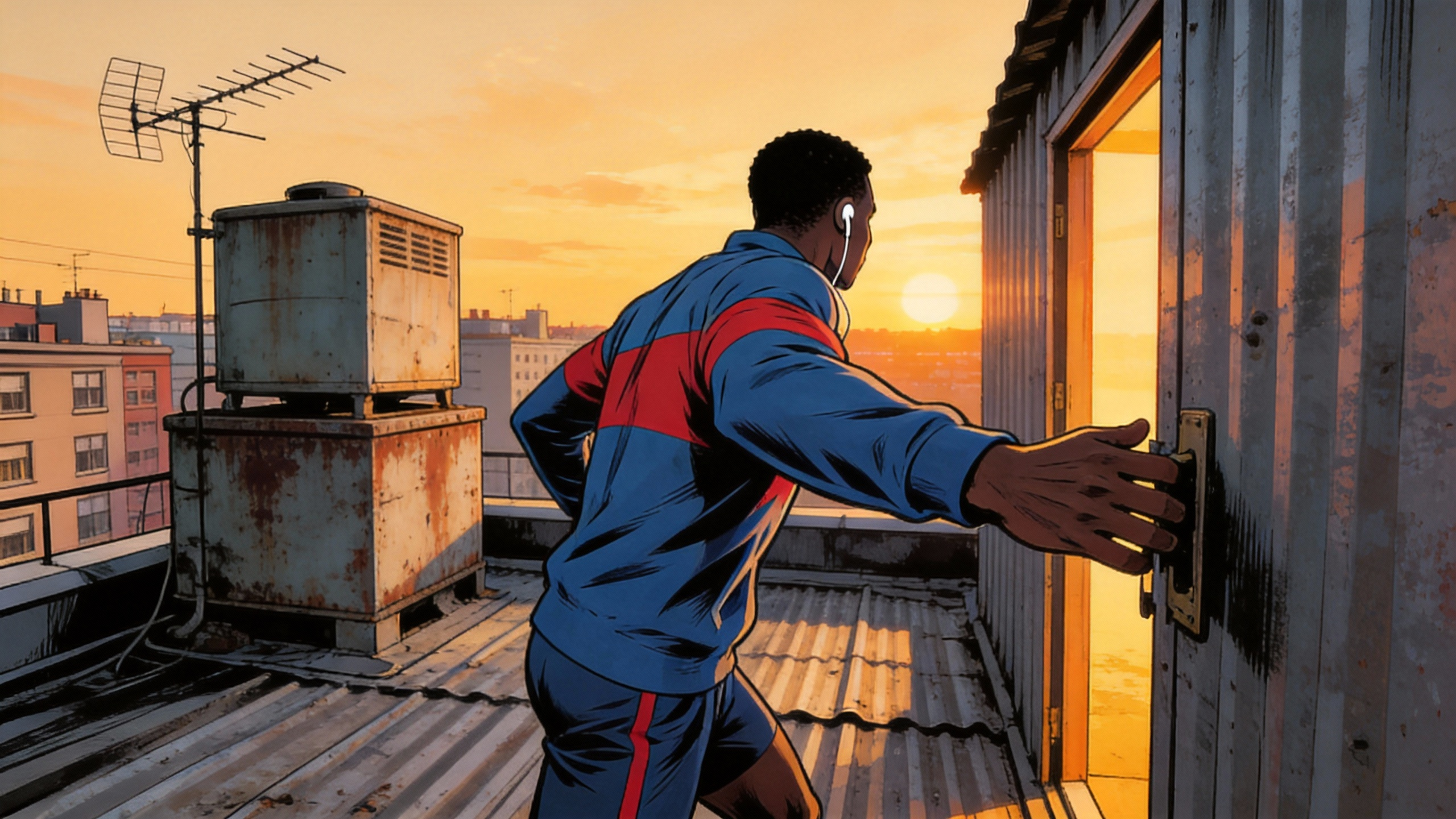
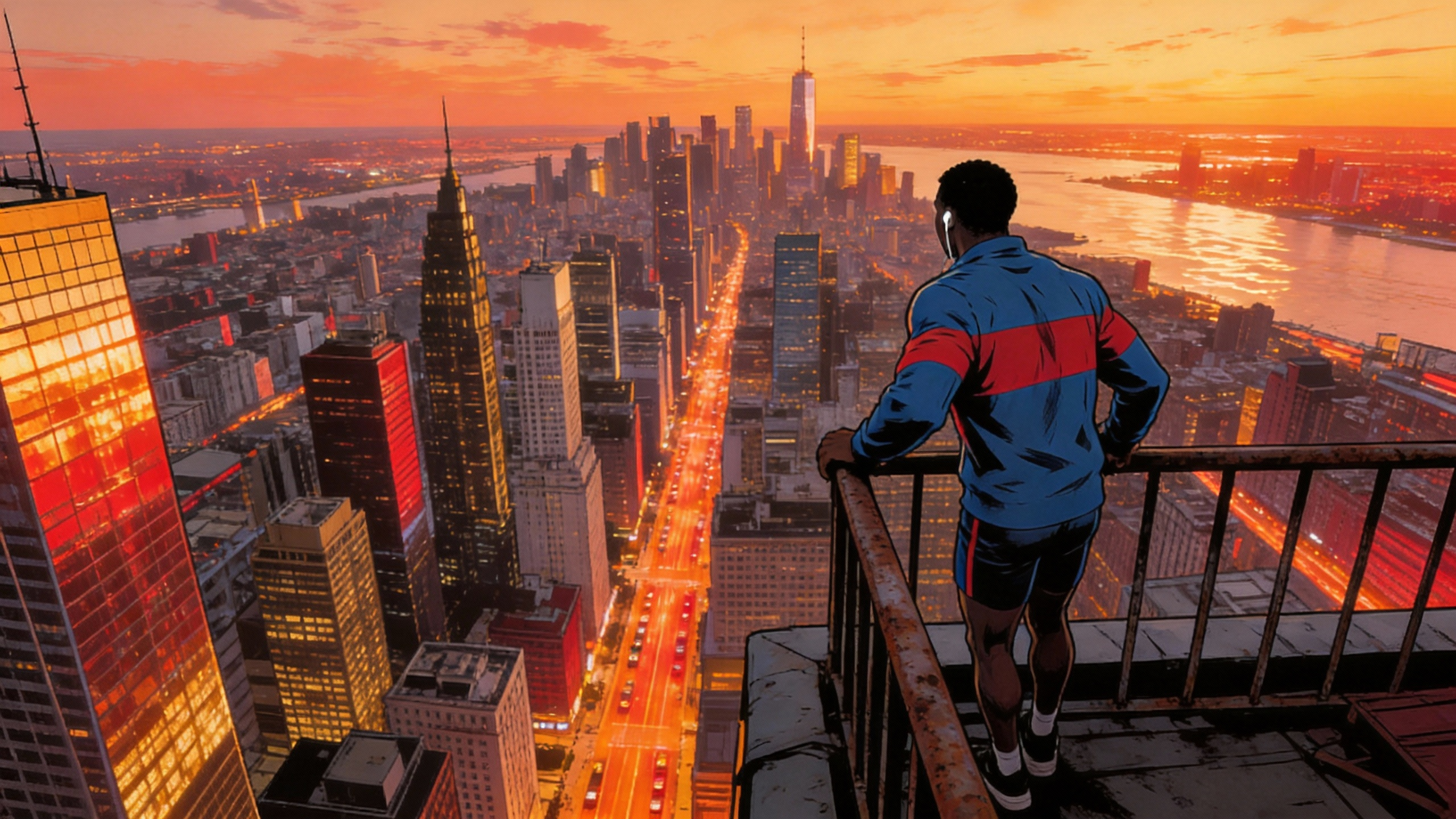
Case: Urban Parkour Tracking Shot
A continuous tracking shot follows a runner up stairs, through corridors, onto a rooftop, and finally overlooks the city — all in one unbroken take.
@Image1, @Image2, @Image3, @Image4, @Image5. A continuous one-take tracking shot from street level, following a runner up stairs, through a corridor, onto a rooftop, and finally an overhead view overlooking the city.
@图片1...至@图片5,一镜到底的追踪镜头,从街头跟随跑步者上楼梯、穿过走廊、进入屋顶,最终俯瞰城市。
Seedance 2.0 Prompt Guide: Tips for Better Results
- Reference Syntax: Use
@Image1,@Video1,@Audio1in your prompt to map uploaded files to specific elements. The model reads these tags to know which asset controls which part of the generated video. - Video Extension Logic: When extending a video by 5 seconds, set "5s" as the generation length. The model generates only the new content and appends it to the original clip.
- Audio From Video: No separate audio file? Reference the sound from a video file directly. Seedance 2.0 can extract the audio track from your reference video and use it for lip-sync or beat-matching.
- Asset Priority: You can mix up to 12 files total (images, video clips, audio). Fill the slots that define your core visual style and rhythm first. Quality of references matters more than quantity.
- Timestamps in Prompts: For multi-shot AI video generation, describe each segment with timestamps (e.g., "0-3s: wide shot..., 4-8s: close-up..."). This gives Seedance 2.0 clearer shot-by-shot direction.
- Image to Video Workflow: When converting a single image to video, use
@Image1as the starting frame and describe the motion you want. Add more images to define mid-points or endpoints of the scene.
Frequently Asked Questions
What is Seedance 2.0?
Seedance 2.0 is a multi-modal AI video generation model built by ByteDance's Jimeng AI team. It accepts up to 9 images, 3 video clips, and 3 audio files alongside a text prompt to generate controllable video between 4 and 15 seconds. Its core strengths are character consistency, camera control replication, VFX template copying, and audio-driven lip-sync. It supports both text to video and image to video workflows in a single generation pass.
How many reference files can I upload?
Up to 12 mixed assets: a maximum of 9 images, 3 videos (total ≤15s), and 3 audio files in MP3 format (total ≤15s). You can combine types freely and should prioritize assets that define the core visual style or rhythm.
Can Seedance 2.0 copy camera movements from a reference video?
Yes. Upload a reference video and describe the desired motion in your prompt. Seedance 2.0 can replicate dolly shots, truck moves, pans, and complex techniques like the Hitchcock dolly zoom and robotic-arm tracking.
How does it maintain character consistency?
By referencing character images with @Image tags in your prompt. The model locks
character identity, clothing, and fine details. This works across emotional shifts, indoor/outdoor
transitions, and even historical/modern setting changes.
Does it support lip-sync and audio-driven video?
Yes. Upload audio files or reference video sound to drive character lip movements and scene rhythm. This works for dialogue (including talk-show style exchanges) and music-beat-synced montages.
What is the maximum output duration?
Seedance 2.0 generates video clips between 4 and 15 seconds. The extension feature allows you to add up to 15 seconds of new content to an existing clip, effectively creating longer sequences through chaining.
Can I replicate VFX and creative templates?
Yes. Feed a template video as a reference and swap in your own characters and products. The model replicates transitions, particle effects, camera language, and creative ad formats from the reference.
How does video extension work?
Select the generation length for the new content (e.g., 5s or 15s). The model generates new frames that seamlessly continue from the last frame of your existing video. You can also edit specific regions of an existing video using in-painting without regenerating the whole clip.
What is a "one-take" generation?
One-take continuity means the model generates a single, unbroken tracking shot — following a subject through multiple environments without cuts. This requires stable environment rendering and consistent character appearance over the full duration.
How should I write prompts for best results?
Use clear @Image / @Video references, describe scene transitions with
timestamps (e.g., "0–3s: …, 4–8s: …"), specify camera angles explicitly, and include emotional or
performance direction for character scenes. Keep the most critical visual references at the top of
your asset list.
Can Seedance 2.0 do text to video without any image or video input?
Yes. Seedance 2.0 works as a text to video generator on its own. Write a text prompt describing the scene, characters, and camera direction, and the model generates video from text alone. Adding image or audio references is optional but improves control and consistency.
How does image to video work in Seedance 2.0?
Upload one or more images as @Image references in your prompt. The model uses these
images as visual anchors for character appearance, scene setting, or storyboard keyframes, and
generates video that stays faithful to those references. This image to video approach gives you
far more visual control than text alone.
Who developed Seedance 2.0?
Seedance 2.0 was developed by ByteDance's Jimeng AI team. Jimeng AI focuses on multi-modal AI video generation models and creative tools for professional and commercial video production.
What makes Seedance 2.0 different from other AI video models?
The main differentiator is multi-modal input. While most AI video generators accept only text or a single image, Seedance 2.0 mixes up to 12 assets — images, video clips, and audio files — in a single generation. This gives you direct control over camera movement, character appearance, VFX style, and audio sync that text-only models cannot match.
Is Seedance 2.0 good for commercial ad production?
Yes. The VFX template replication and character consistency features are built for commercial use. You can feed an existing ad template video and swap in your own product and talent. The model replicates transitions, camera work, and creative style from the template, which speeds up ad iteration without starting from scratch each time.